
I’m dyslexic, have dyscalculia and ADHD, so I’m neurodivergent. One thing I’ve learned about myself is that I process information much more easily when I can see it.
Long pieces of text, dense documents or slide decks can take more effort for me to digest, particularly when there is a lot of information to understand in a short space of time.
That’s where visual facilitation has become an important part of how I work as a Delivery Manager. For me, it isn’t about creating beautiful drawings. It’s about making complexity easier to understand, discuss and work through together.
Why visuals help
Delivery involves a lot of moving parts. There are priorities, blockers, dependencies, decisions, different perspectives and often a fair amount of uncertainty.
When all of that is presented through words alone, it can sometimes feel like everything is competing for attention.
Visualising information changes that.
I can see connections. I can spot uncertainty. I can see what needs attention. And I can start to see the bigger picture.
My dyslexia, dyscalculia and ADHD mean I can experience and process information differently. Visual working has become one of the ways I use that difference positively in my work.

Initially, visuals helped me process complexity. But I’ve increasingly realised they can also help the teams I work with.
What do people need to see?
When I prepare a workshop, I don’t just think about the agenda or what I need to say, I ask: What do people need to see?
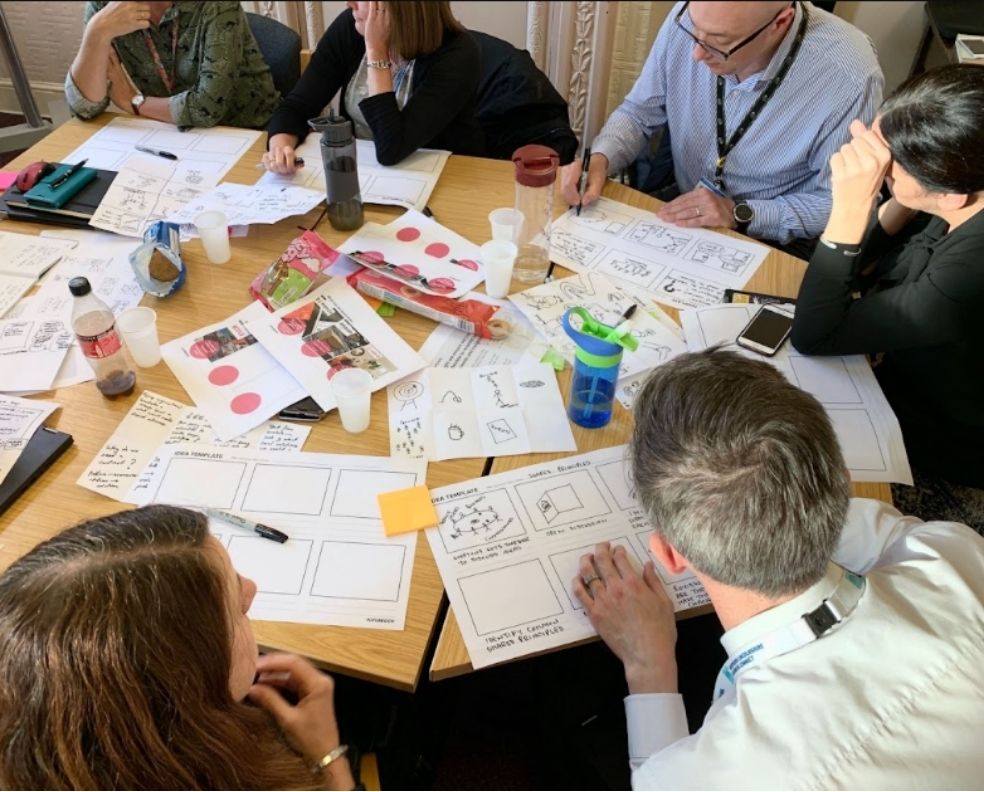
That might mean creating a visual agenda, a large canvas, a journey, simple icons and headings, or a shared space where people can add their ideas.
The visual doesn’t need to contain the answer. Sometimes its purpose is simply to give people something they can look at, discuss and build on together.
People can add ideas, challenge assumptions, spot connections and see where there is agreement — or where there isn’t.
For me, that is where visual facilitation becomes powerful. It can turn an abstract conversation into something more tangible.
A more visual way in
I started using visuals because they suited the way my own brain processes information. However, I’ve found that others benefit from information being presented differently.
Some people prefer detailed written information. Some prefer talking things through, and some need time to reflect. But others find it easier when they can see something in front of them.
Using a visual approach helps create another route into the conversation for a wider audience. When planning work with teams, I can also now ask myself: Is there a more visual way into the conversation for everyone?
This doesn’t have to replace good written communication. It can complement it.
You don’t need to be an artist
One thing I’ve learned through approaches such as Bikablo is that visual facilitation doesn’t require amazing drawing skills.
A person can be a circle and a few lines. An idea can be a lightbulb. A conversation can be two speech bubbles. A process can be a few boxes and arrows.
The important question isn’t: Does this look amazing? It’s: Does this help people understand and have the conversation?
If the answer is yes, the visual has done its job.
Tools can help
This doesn’t always have to start with pen and paper. Digital tools can help too. I use an iPad (Procreate) for some of my visual work, and even simple tools such as AI can help turn complicated text into a visual starting point.
The technology is less important than the intention: making information easier to engage with.
Visual facilitation started as a way of helping me process complexity. Now I use it to help the teams I work with make sense of complexity together.
Eric has created an illustrated, visual version of this post – available to view in full here.
More from our design blog
Transformation is for everyone. We love sharing our thoughts, approaches, learning and research all gained from the work we do.
-

The tide is changing for in-field observational research
Read blog post -

How AI agents will change the role of your website
Read blog post -
Building visualisations that adapt
Read blog post -

Taming the prototype monster
Read blog post
